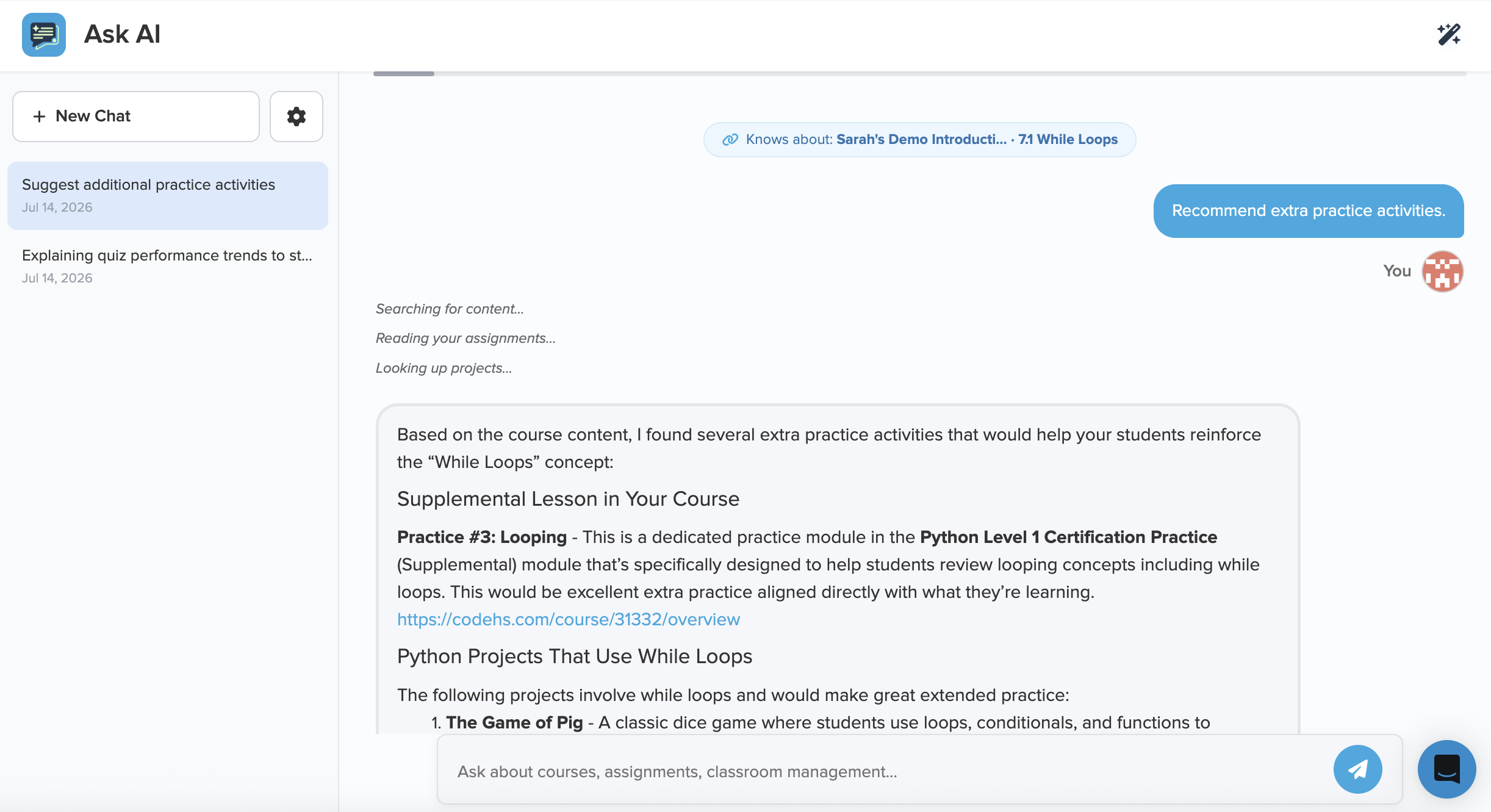
Ask AI: find answers and get things done
A teacher tool that helps you discover curriculum, manage your classroom, and find answers — all from one chat, without leaving CodeHS.
- Explore and compare courses by topic, grade, or standards — AP, CSTA, and state
- Assign lessons, update due dates, and change settings right from the chat
- Surface student progress, gradebook trends, and academic-integrity insights on demand
- Reach it anywhere from the wand icon or the search bar
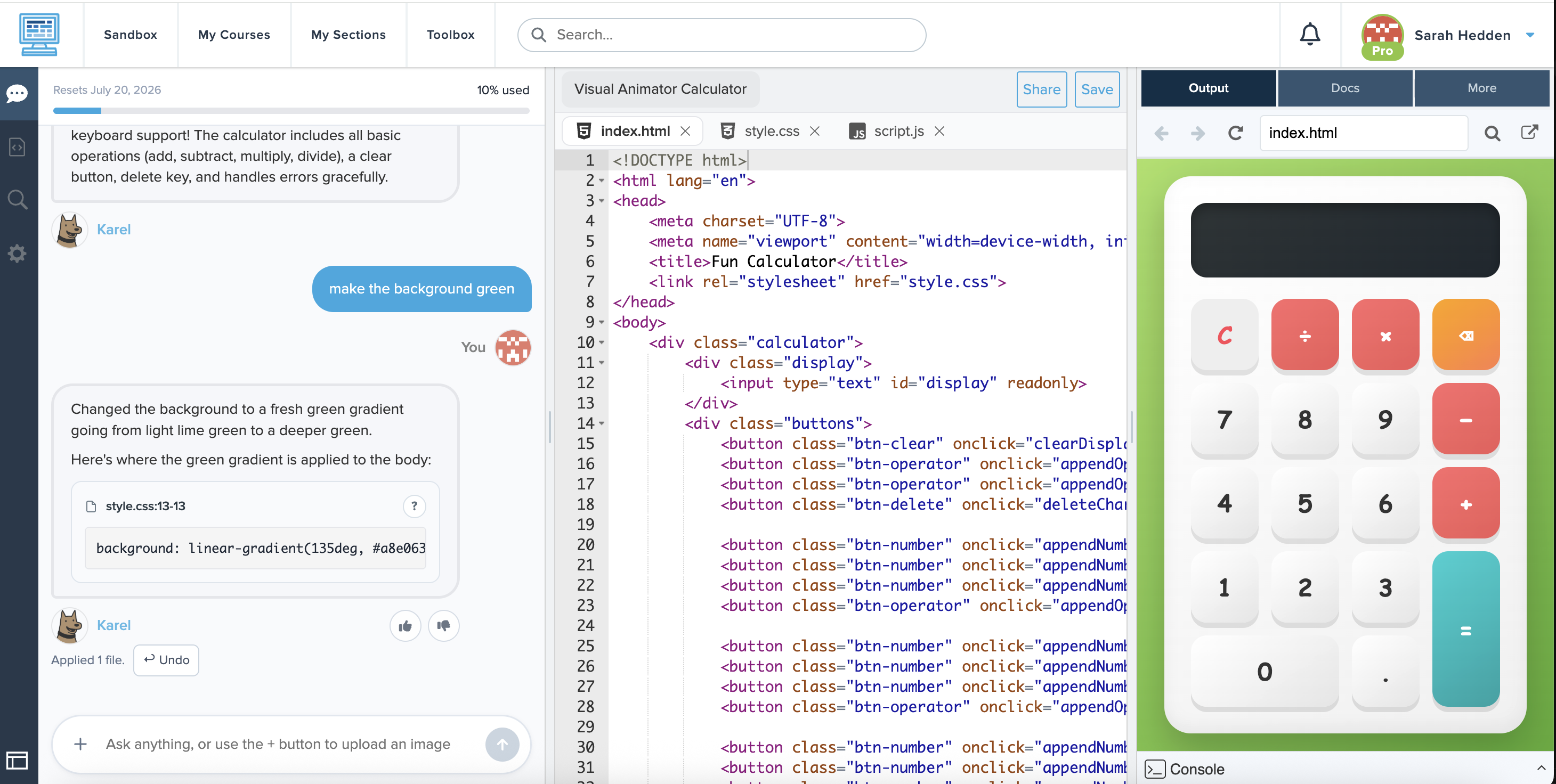
Vibe Coding: build with AI, learn by prompting
Students describe an idea in plain language and watch it come to life in the IDE — then keep prompting to refine it and understand the code behind it.
- Prompt an AI agent to generate and update HTML projects in the Sandbox
- Built-in explanations help students learn the "why" behind every change
- AI moderation keeps requests on-topic and classroom-appropriate
- Monitor student threads, usage, and access from one dashboard
Smart Hints: unblock students without giving the answer
These hints are requested by students themselves as they work — distinct from teacher AI Hints, the feedback a teacher generates and sends while reviewing student code.
When a student gets stuck on an assignment, they can ask for an AI hint right in the editor. The hint points them toward the next step — guiding their thinking instead of handing over the solution — so they can keep making progress on their own.
- Students request a hint on their assignment without leaving the editor
- Hints nudge toward the next step rather than revealing the answer, and each one is moderated to stay classroom-appropriate
- You control access per student, with a daily limit to keep usage in check
- Review every student's hint threads from one teacher dashboard

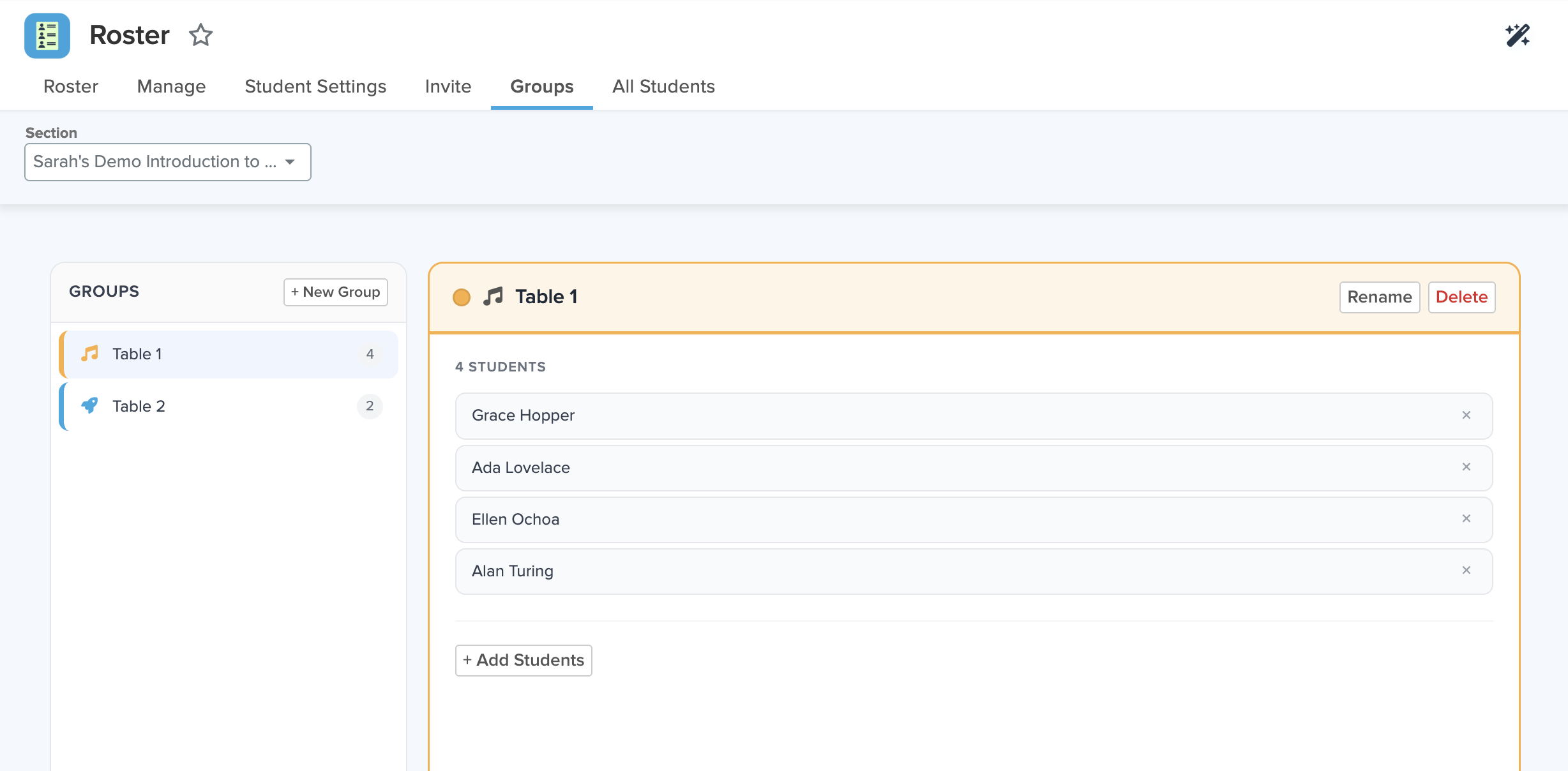
Student Groups: organize any section your way
Divide a section into smaller, manageable groups for targeted instruction — then carry that grouping across the tools you already use every day.
- Create and color-code groups right from the Roster app
- Filter Gradebook, Progress, Quiz Scores, Realtime, and Code Review by group
- Put a group into Focus Mode or award badges to its members
- Shared with co-teachers — and a student can belong to more than one
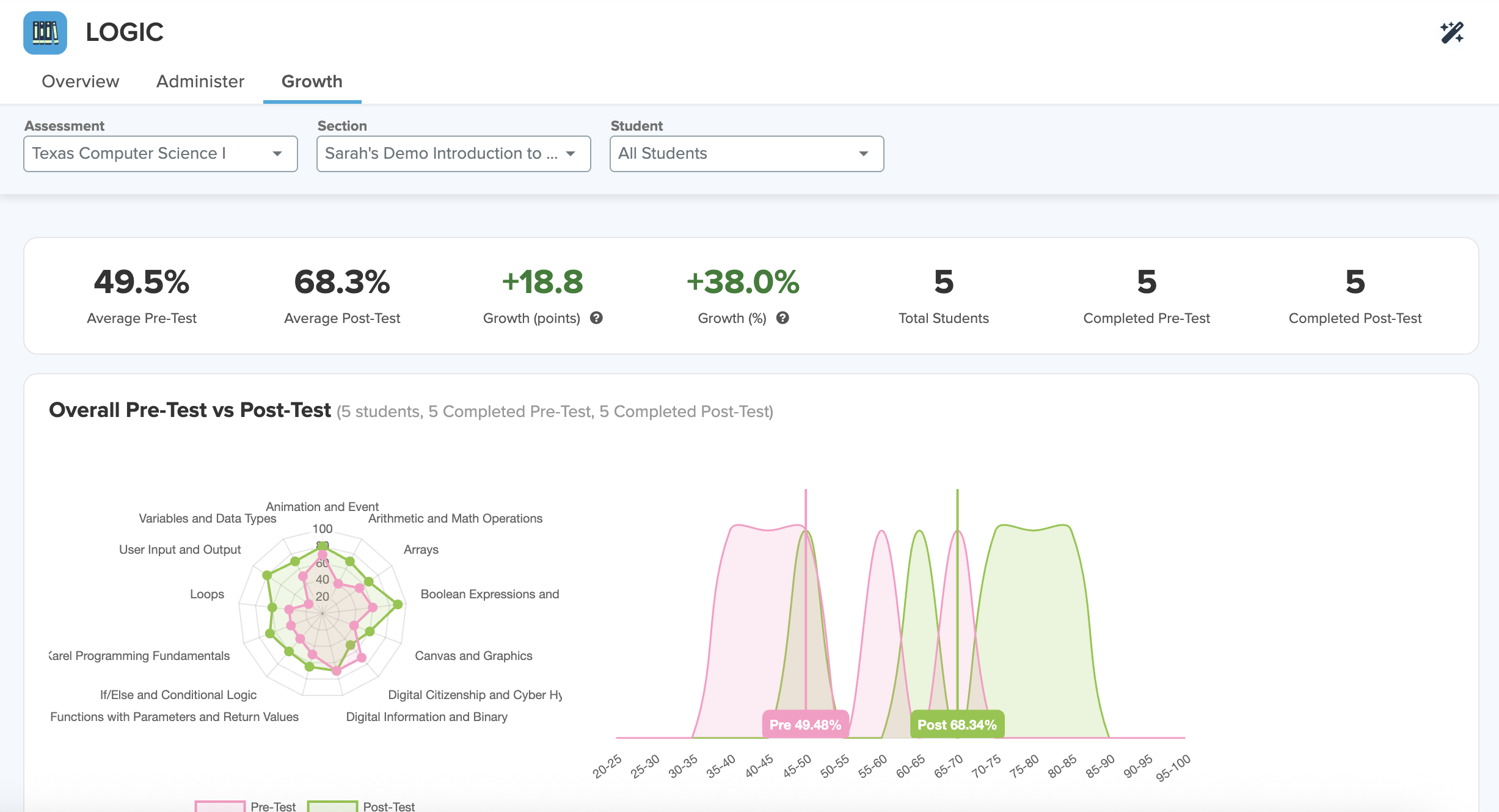
LOGIC Assessments: measure real growth
Learner Outcomes for Growth in Computing: pre- and post-tests that measure student growth across the year and generate clear, shareable progress data.
- Establish a baseline with a beginning-of-course pretest
- Measure gains with an end-of-course posttest, reported by concept and student
- Available for most CodeHS courses
- Clear growth reports for an individual student, a specific class, or your entire student roster
Cyber Range: a hands-on cybersecurity lab
A secure, simulated environment where students apply cybersecurity skills through real, guided labs — built to support the CodeHS AP Cybersecurity course.
- Guided challenges using real Linux commands and defensive techniques
- Launch challenges from CodeHS assignments — scores sync back to the gradebook automatically
- Aligned to the AP Cybersecurity course framework
- Available for the 2026–27 school year as an add-on purchase
student@cyber-range:~$ cat sample_message.txt | tr 'A-Za-z' 'N-ZA-Mn-za-m' > decoded.txt
student@cyber-range:~$ cat decoded.txt
SAMPLE INTERCEPT REPORT
DATED: 2026-09-01
SUBJECT: Demo Exercise
This example signal was captured on a practice frequency. Analysts
have confirmed the content was encoded using a simple alphabetic
cipher before transmission.
Code word: flag{demo-cipher-example}
-- END TRANSMISSION --
student@cyber-range:~$
Karel: now works with every CodeHS tool
Karel now runs in the same editor as everything else, so Code History, academic
integrity, collaboration, and step-through debugging all work with Karel in both
assignments and the Sandbox.
- Karel now runs in the same CodeHS editor as every other program, so Code History, academic integrity, collaboration, and debugging are available from the first assignment
- Code History records every keystroke in Karel assignments, with paste flags and full replay on the timeline
- Step-through debugging highlights the running line as Karel moves and marks errors in red; students can set breakpoints and step forward and back
- Assignment Collaboration and real-time collaboration work in Karel assignments, so teachers can drop in and help while students work
- Students can pair-program on Karel projects in the Sandbox

Plus a roundup of smaller updates
Dozens of quality-of-life improvements landed this year across academic integrity, grading, the IDE, rosters, and moderation. Here are the highlights.
Academic Integrity & Code Review
- Paste detection in Code History — the code history timeline now surfaces paste activity directly. Snapshots with pastes show an orange indicator, larger pastes (5+ lines) get a flag icon, and hovering a paste snapshot highlights the pasted block in the preview. Paste indicators and line highlighting also appear in the IDE's history tab.
- Similarity Matrix — a new teacher tool for comparing student code pairs, with filtering, sorting, side-by-side comparison, and export. The plagiarism report now sorts by highest similarity first, and a new detection algorithm improves accuracy.
- Academic integrity notifications — stay on top of academic-integrity activity in your sections, with the option to opt into email alerts.
Grading & Gradebook
- Finalize All AI Grades — a new button in Gradebook by Assignment approves all AI-suggested grades at once.
- New Fast Grade design — a refreshed layout with improved filters.
IDE & Editor
- Faster, more reliable Python — an accidental infinite loop no longer freezes the tab, and Python loads dependably even on school networks that block outside sites.
- Clearer Python errors — improved tracebacks make mistakes easier to understand.
- Export as PDF — a new option on the print tab in the IDE.
- Improved Sandbox — faster to load, with a cleaner design, easier sorting and searching through your programs, and clearer options when creating a new Sandbox program.
- New Sandbox Home — a redesigned landing page for personal Sandbox projects with a grid, folders, recent programs, and quick-start creation including upload/import.
Roster & Teacher Tools
- Focus Mode improvements — focus a section on a specific lesson to keep students on the assignment at hand.
- Redesigned All Apps dashboard — a card grid with inline favoriting, search, and section filtering.
- AI tools in the teacher sidenav — Vibe Coding, Ask AI, AI Creator, AI Grading, AI Settings, and AI Hints are now grouped together in a new AI section, and the All Apps page mirrors the same grouping.
Moderation & Student Safety
- HTML programs private by default — students can no longer make HTML programs public without verified teacher consent, controlled by a section setting or an organization-wide permission. Existing student HTML programs were privatized.
- New Moderation app — a central place for teachers to review CodeHS's moderation measures, view Public Student Websites and report websites, and manage the Student Website Allowlist.
- Suggest domains from course — a new button in allowlist settings quickly whitelists a course's external domains.
Student Experience
- New student dashboard — students get a redesigned section dashboard with upcoming assignments, announcements, progress, and quick resume in one place.
Want any of these in your classroom?
Pro features are ready to try today. For Cyber Range, request a quote and we'll help you build the right plan.


